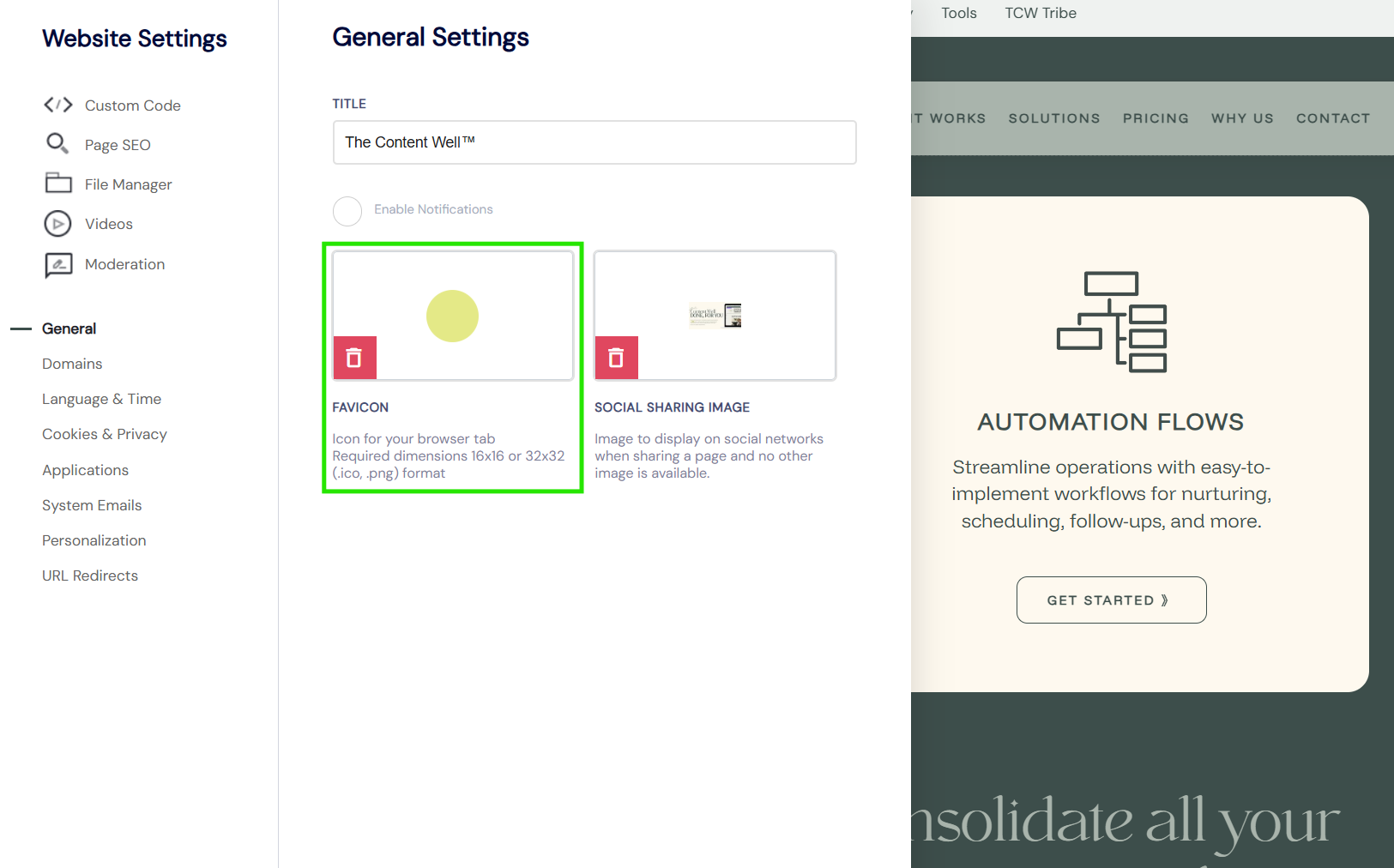
Favicon and social share image
- To add your favicon and social share image, go to > Tools > Settings and select the General tab.
- Please use a 200px x 200px image in .PNG format.
What is a favicon?
Your favicon is an image displayed on a website search bar. This helps to identify your page on the user's computer screen.
What is a social share image?
- The social share image will be displayed to the public when your website or website pages are shared. For example on social media.
Note: TCW™ enables you to have social share images for every page and also funnel step on your website.
- The one shown below is the global sharing image, this image will be displayed if an individual page or funnel step doesn't have a dedicated image allocated.
Top tip: Create individual images for each of your pages, this will enable people to quickly identify what the page is about.